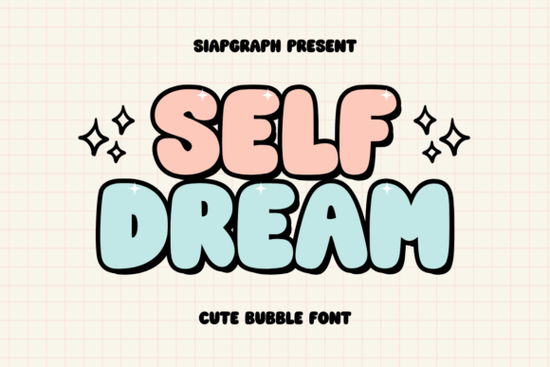
If you're looking for a friendly, rounded bubble font that works well for kids’ designs, playful branding, or cheerful social media posts, the Self Dream Font is a thoughtful choice. It’s not overly cutesy or hard to read just soft, bold, and consistently charming. You’ll find it especially handy if you design greeting cards, nursery prints, stickers, or print-on-demand apparel with a gentle, optimistic vibe.
What kind of projects does Self Dream Font suit best?
This font shines where warmth and approachability matter. Think baby shower invitations, boutique shop logos, Instagram story headers, or enamel pin mockups. Its generous letter spacing and smooth curves help it hold up well at small sizes unlike some ultra-thin or highly stylized fonts that blur on fabric or low-res screens. Because it’s designed as a display font (not for body text), it’s meant to grab attention without competing with readability.
It pairs nicely with clean sans-serifs for contrast for example, use Self Dream for your headline and a simple geometric font like Montserrat for supporting text. That combo keeps things light but grounded. If you’re building a brand identity for a small business say, a handmade soap shop or a children’s book illustrator this font adds personality without feeling gimmicky.
How does it compare to other popular bubble and playful fonts?
Unlike bolder graffiti-style fonts like Boy Graffiti Font, which leans into urban energy and sharp edges, Self Dream Font feels more relaxed and inclusive. It doesn’t rely on exaggerated swashes or aggressive angles. Instead, it uses consistent roundness and even weight distribution making it easier to scale and adapt across mediums.
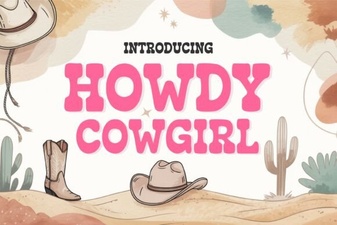
Compared to retro-inspired options like Grinches Font, which has a slightly vintage cartoon feel, Self Dream reads more contemporary and neutral. And while fonts like Wild Western Font or Howdy Cowgirl Font lean into theme-driven styling (great for specific niches), Self Dream stays flexible enough for broader use without needing a cowboy hat or desert backdrop to make sense.
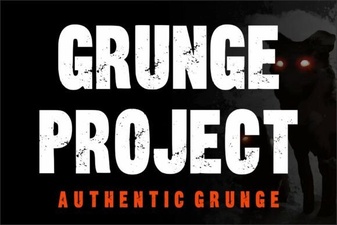
For designers who also work with texture or grunge elements, keep in mind that Grunge Project Font offers intentional roughness and imperfection whereas Self Dream is intentionally smooth and polished. They serve different moods, so choose based on whether your project needs whimsy or weathered character.
Where can you use it and where should you avoid it?
You can safely use Self Dream Font in:
- SVG files for Cricut or Silhouette cutting machines
- Canva templates (uploaded as OTF or TTF)
- Print-on-demand mockups for mugs, tote bags, and onesies
- Instagram carousel headers or Pinterest pins
- Digital planners or printable sticker sheets
Avoid using it for:
- Long paragraphs or website body text (it’s a display font not designed for extended reading)
- Legal disclaimers or fine print (its softness reduces legibility at tiny sizes)
- High-contrast signage where sharp definition matters (e.g., street banners or safety labels)
Is it easy to install and use?
Yes it comes in standard OTF and TTF formats, so it installs just like any desktop font on Mac or Windows. No special software needed. Once installed, it shows up in Photoshop, Illustrator, Canva (via upload), Procreate (with font installer apps), and most design tools. Some users report it works smoothly with Cricut Design Space when uploaded as SVG or cut-ready text layers.
It includes uppercase letters, numbers, and basic punctuation. There are no alternate glyphs or stylistic sets so it’s straightforward, not overwhelming. That simplicity helps if you’re new to typography or managing multiple fonts across client projects.
Real-world tips from designers who use it regularly
A few practical notes shared by crafters and POD sellers:
- Test color contrast early: Light pastels on white backgrounds sometimes fade try testing your final file on a phone screen before printing.
- Outline text before exporting for cutting machines: This avoids unexpected rendering issues in Silhouette Studio or Cricut.
- Pair it with subtle shadows or soft glows in digital graphics not heavy drop shadows to keep the dreamy tone intact.
- Don’t stretch or distort the font: Its charm comes from balanced proportions, so scaling uniformly preserves its look.
If you’d like to see how others are using this style, check out real user examples on Self Dream Font on Creative Fabrica. You’ll find bundles with coordinating graphics, SVG bundles, and ready-to-use templates that simplify getting started.
Before you download or buy: Double-check your license. The standard license covers personal and commercial use including selling physical products but doesn’t allow redistribution of the font file itself or creating derivative fonts. Always review the license terms included with your purchase.
Try It Free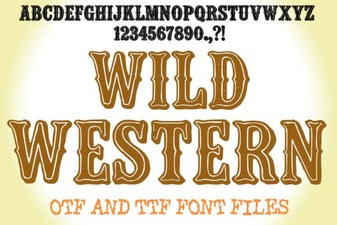 Creative Wild Western Font Design & Usage Tips
 Unleash Creative Ideas with Grunge Project Fonts
 Design with the Howdy Cowgirl Font Style
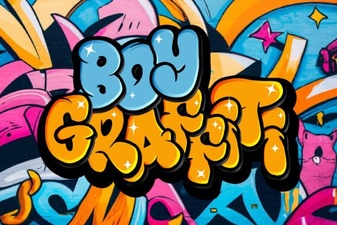 Urban Boy Graffiti Fonts for Creative Projects
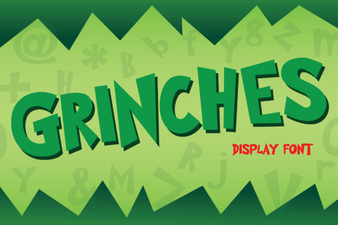 Incorporate the Grinch's Holiday Font Into Your Projects
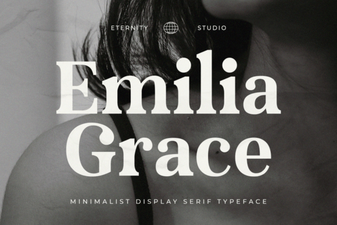 The Et Emilia Grace Font for Elegant Designs