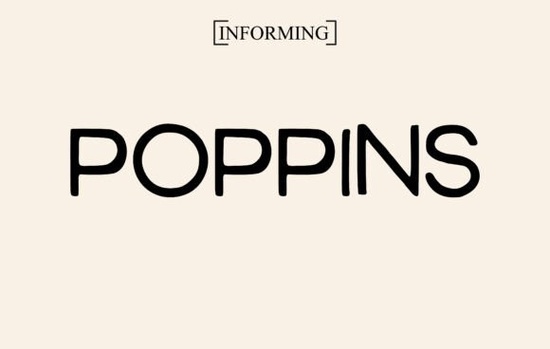
If you're looking for a clean, versatile sans-serif font that works just as well on a wedding invitation as it does on a t-shirt design or Instagram story, the Poppins Font is a solid choice. It’s not flashy or overly stylized instead, it’s thoughtfully designed to be highly legible at small sizes and impactful at large ones. That balance makes it especially useful for people who juggle multiple creative roles: designers laying out magazine spreads, crafters cutting vinyl decals, print-on-demand sellers building cohesive brand kits, or small business owners updating their social media graphics.
What makes Poppins easy to use in real projects?
Poppins has a friendly but professional appearance think of it as the kind of typeface that doesn’t draw attention to itself, but quietly supports your message. Its open letterforms and consistent stroke weight help readability across screens and printed materials. Unlike some geometric sans-serifs that can feel stiff or cold, Poppins includes subtle rounded corners and balanced proportions that add warmth without sacrificing clarity.
You’ll find it works especially well for:
- Magazine headlines and editorial layouts (it pairs nicely with serif body text)
- Social media posts where clean, scannable text matters like quote graphics or event announcements
- Branding elements such as logos, business cards, and website headers
- Printed stationery including wedding invitations, thank-you cards, and baby announcements
- T-shirt designs and other apparel where simplicity and impact matter
How does it compare to other popular sans-serifs?
If you’ve used fonts like Surfume Font or Best Friend Font, you’ll notice Poppins takes a more neutral, functional approach. Surfume leans into playful curves and a hand-drawn charm, while Best Friend Font offers bolder personality with its rounded, bubbly shapes. Poppins sits comfortably in the middle reliable, adaptable, and ready to support your ideas rather than compete with them.
That’s why many designers reach for it when they need something that feels current but won’t date quickly. It’s also widely used in UI design and web interfaces, which means it’s been tested for performance and accessibility helpful if you’re designing digital assets alongside physical ones.
Where do people actually use Poppins right now?
We see it regularly in small business branding especially cafes, boutiques, and wellness studios that want clean, modern visuals without looking sterile. Crafters use it for layered SVG files because its consistent spacing makes cutting and weeding easier. Print-on-demand sellers appreciate how well it scales: a Poppins-based design looks crisp whether it’s printed on a 4×6 postcard or stretched across a 24-inch wall art canvas.
It’s also one of the few fonts that handles multilingual projects well. With full Latin, Greek, and Cyrillic support plus numerals, punctuation, and common diacritics it’s practical for creators serving diverse audiences or expanding into international markets.
Getting started with Poppins
The Poppins Font package typically includes multiple weights (Light, Regular, Medium, SemiBold, Bold, ExtraBold) and corresponding italics, giving you flexibility without needing extra fonts. Most versions are available in OTF, TTF, and sometimes WOFF formats so whether you’re using Adobe software, Cricut Design Space, Canva, or Silhouette Studio, you’ll likely find a compatible file.
Before downloading, check what’s included: some bundles offer extended language support or bonus extras like ligatures or alternate characters. If you’re working on a long-form project like a booklet or newsletter having access to lighter and heavier weights helps create visual hierarchy without switching fonts.
Tip: Try pairing Poppins with a warm serif (like Playfair Display or Cormorant Garamond) for contrast in editorial or wedding work. Or keep it monochrome by using different weights of Poppins alone bold for headings, regular for body, light for captions.
A quick checklist before you use it
- License check: Make sure the version you download allows commercial use especially if you’re selling products or client work.
- File format: Confirm you have the right format for your software (TTF for most desktop apps, OTF for advanced typographic control).
- Weight variety: Download at least Regular, Bold, and Italic to start those three cover most everyday needs.
- Test at size: Preview how it renders at your intended use size small caps on a tagline, large display text on a banner before finalizing.
- Pairing test: Try it next to your current go-to fonts. Does it hold up? Does it feel like a natural extension of your style?
If you already lean toward clean, modern aesthetics and want a dependable workhorse font that doesn’t require constant tweaking Poppins is worth adding to your collection. It’s not about standing out for the sake of it. It’s about making your words clear, your designs consistent, and your process smoother.
Try It Free Surfume Font for Creative Web Design Projects
 Best Friend Font: Download the Perfect Companion
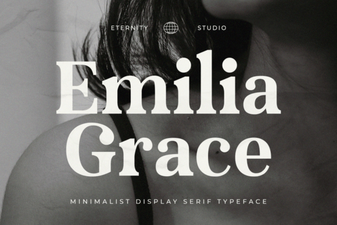 The Et Emilia Grace Font for Elegant Designs
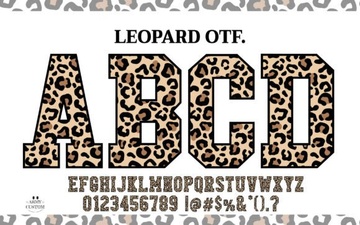 Leopard Varsity Font: Classic Design for Bold Projects
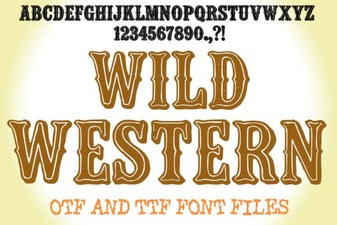 Creative Wild Western Font Design & Usage Tips
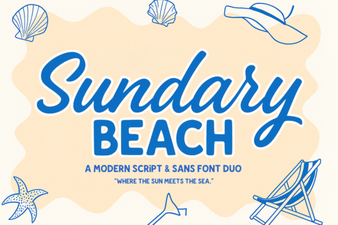 Creative Font Duo: Sundary Beach Design Kit